Audio FunnelVirtual audio routing for Mac, apps and inputs
Mix interface channels, app audio and DAW tracks onto channels 1 and 2 of a virtual input, where a browser or video call can record them.
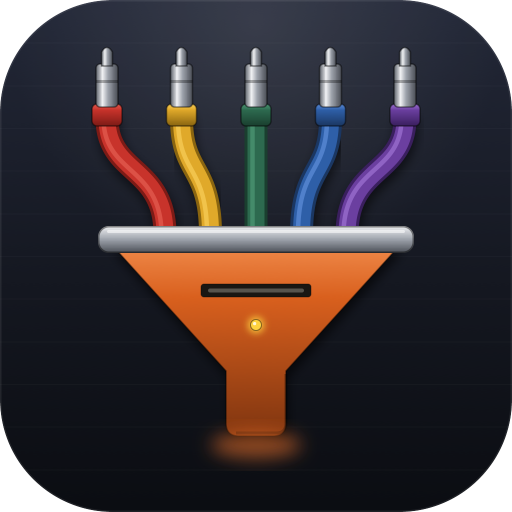
Browsers and many recording apps can see only the first two channels of an input device, which is a problem when your podcast guest is on inputs 33 and 34 of a big interface.
Audio Funnel adds eight virtual stereo inputs, called funnels. Route any interface channel into one, add the sound of an app like Music or Safari, or send a track from your DAW with the Audio Funnel Send plugin, and it is all mixed onto channels 1 and 2. Pick the funnel as the microphone in your recorder and it’s there. A background helper keeps the routing going with the window closed, and can start it at login.
How the
signal flows
- Step 01SourcesInterface channels, app audio, DAW sends
- Step 02FunnelMixed together, with a trim per source
- Step 03Any appRecords channels 1 and 2 of the funnel
Runs from the menu bar
Close the window and the routing keeps going in the background. The menu bar panel lists every funnel in use with an on/off switch, and Start Audio Routing at Login brings your funnels back after a restart without opening the app. Stop All Audio & Quit turns everything off in one go.
What it
does
Eight funnels
Each funnel is a stereo input device that macOS lists under the name you give it. Switch funnels on and off from the menu bar.
Any channel, any interface
Pick any input channel on any connected interface, channel 33 included, and send it left, right or both, with a trim from −24 to +12 dB.
App audio
Capture the sound of a single app, such as Music, Safari, Chrome, a video player or a game. Needs macOS 14.4 or later. Installed apps can be added before they’re running.
Send from your DAW
The Audio Funnel Send plugin (AU and VST3) streams a track, bus or master into a funnel at any session rate from 44.1 to 192 kHz. Up to four sends mix into each funnel, labelled with their track names.
Chain funnels
Use one funnel as a source for another to build sub-mixes, such as a Drums funnel inside a Full Mix funnel. Audio Funnel blocks any routing that would feed a funnel back into itself.
Signal Check
Briefly meter an interface’s inputs to see which channels have signal, then route the ones you need.
Works with
- Sources
- Any input channel of any interface · single apps (macOS 14.4 or later) · DAW tracks via Audio Funnel Send · other funnels
- Funnels
- 8 virtual stereo input devices at 48 kHz, named as you choose
- Send plugin
- AU and VST3 on stereo tracks, buses and masters · sessions at 44.1 to 192 kHz · up to 4 sends per funnel
- Record or stream in
- Browser recorders, Zoom, OBS, QuickTime and any DAW
Audio Funnel stops routing audio, and lets you know with a notification if a funnel was switched on. The app’s window is blurred behind a “No valid licence” card, and nothing is deleted. How trials and licences work
Common
questions
Does it install a driver?
Yes, a Core Audio driver that adds the funnels as audio devices, plus the Send plugins. Installing them needs your admin password once.
Will my browser or video call see it?
Yes. A funnel is an ordinary stereo input, so anything that can pick a microphone can pick a funnel.
What permissions does it need?
Microphone access to read your interfaces’ inputs, and on macOS 14.4 or later, permission to record system audio if you capture apps.
Does my DAW session have to be at 48 kHz?
The Send plugin works at any session rate from 44.1 to 192 kHz and converts what it sends to 48 kHz. The funnels themselves run at 48 kHz, so run your interface at 48 kHz for hardware channel sources, and record from a funnel at 48 kHz.
How do I get channels 3 and 4 of my audio interface into Zoom or a browser?
Route both channels into a funnel, set one to L and the other to R, and pick that funnel as the microphone in Zoom or your browser. The funnel is a normal stereo input, so the app sees your channels on 1 and 2. The same works for channel 33 of a big interface.
Can I mix my microphone and my Mac’s app audio into one input?
Yes. Add your mic’s interface channel and the apps you want, such as Music or Safari, to the same funnel and balance them with each source’s trim. Capturing apps needs macOS 14.4 or later, and on earlier versions you can still mix interface channels, DAW sends and other funnels.
Can I send my DAW’s output to a video call or OBS?
Yes. Put the Audio Funnel Send plugin (AU or VST3) on your master, a bus or a track, choose a funnel under Send to, and pick that funnel as the input in the call or in OBS. You still hear the track through your interface as normal.
Can I capture the sound of just one app, like Safari or Music?
Yes, on macOS 14.4 or later. Click + next to the app in the Apps list and its sound goes into the funnel while you keep hearing it normally. Adding Safari or Chrome includes the audio from their web pages, and apps that aren’t running yet can be added too.
Is there a Mac alternative to Loopback?
Audio Funnel does a similar job for stereo inputs: it mixes interface channels, single apps and DAW tracks onto a virtual device that any app can pick as a microphone. Loopback, from Rogue Amoeba, builds devices of up to 64 channels with custom channel mapping and pass-thru devices, and its current version needs macOS 14.5 or later. Audio Funnel’s funnels are stereo at 48 kHz, run on macOS 11 or later, and come with a Send plugin for DAW tracks.
How is Audio Funnel different from BlackHole?
BlackHole is a free, open-source loopback driver: you set an app’s output to BlackHole and another app records it as an input, in versions from 2 to 256 channels. Audio Funnel adds the mixing. You choose interface channels, single apps and DAW sends for each funnel, set a trim on each, and they land together on channels 1 and 2.
Is Audio Funnel a replacement for Soundflower?
It can take over the common Soundflower jobs of getting app audio and interface channels into another app as an input. Soundflower’s last release was 2.0b2 in December 2014, and Rogue Amoeba, which hosted it for a time, no longer maintains it. Audio Funnel is a Universal app for Apple silicon and Intel Macs on macOS 11 or later.
Does Audio Funnel record audio itself?
No. It makes the funnels, and the app you point at a funnel does the recording or streaming, such as QuickTime, a browser recorder, Zoom, OBS or your DAW. Audio Funnel doesn’t store or send the audio anywhere.
Other apps
you might like
NAM Suite
Play and record through NAM amp captures with your own VST3 and AU plugins on the pedalboards, at low latency, even when your DAW project is running at a 2048-sample buffer.